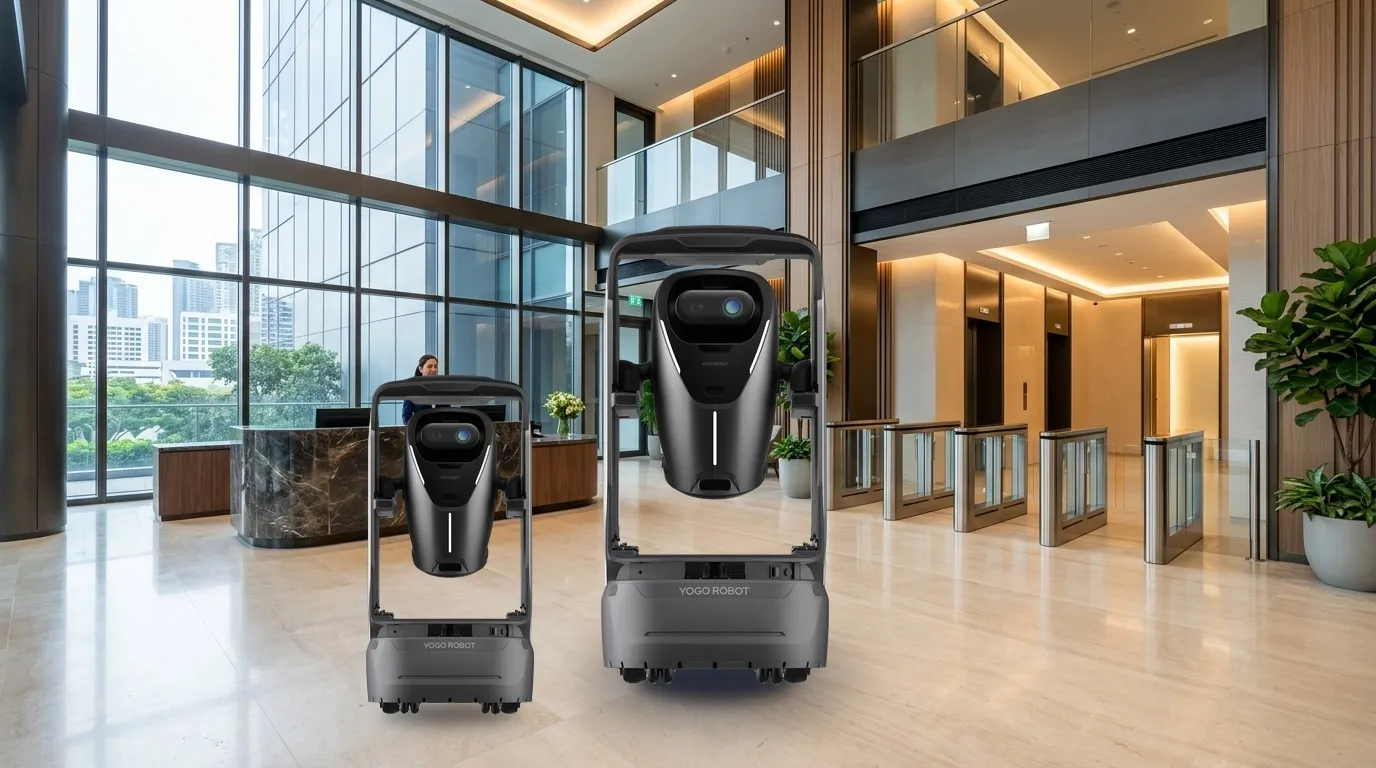
Patrol shared apartment areas.Staff review and respond.
Robots patrol configured communal routes, capture checkpoint images and return live views. Control-room staff review the scene; guards or concierge staff respond on site.
Associate records with tasks and provide live views.
04
Control room
Review
Assess clutter, obstruction and people remaining in an area.
05
Guards / concierge
Respond and archive
Handle the scene and record the owner, outcome and completion time.
Confirm execution separately from human handover/review; assigned staff take over exceptions.
Roles
Robot
Observe, transmit images and retain task records.
Control room
Review images, judge conditions and initiate intercom.
Guards / concierge
Respond, record outcomes and review recurring issues.
Service modes
Select modes for the workflow; agree extensions separately.
Route patrol
Cover lobbies, doors, lift halls, corridors and fire routes.
Configure and validate against site conditions.
01PlanConfigure routes, schedules and checkpoints.
02Return imagesAssociate records with tasks and provide live views.
03ReviewAssess clutter, obstruction and people remaining in an area.
Checkpoint photography
Capture doorway clutter, left items, passages and fire equipment checkpoints.
Configure and validate against site conditions.
01PlanConfigure routes, schedules and checkpoints.
02Return imagesAssociate records with tasks and provide live views.
03ReviewAssess clutter, obstruction and people remaining in an area.
Live view and intercom
Control-room staff view the scene and speak remotely when needed.
Configure and validate against site conditions.
01PlanConfigure routes, schedules and checkpoints.
02Return imagesAssociate records with tasks and provide live views.
03ReviewAssess clutter, obstruction and people remaining in an area.
Image collection and human review are central. Robots do not judge every anomaly, replace guards or perform enforcement. Noise and light measurement are not promised.
Terminals and configuration
Document-based scope; confirm supplied model, options and site fit.
01
Patrol terminal
Autonomous rounds, checkpoint image/video capture, live views, intercom and task records.
02
Control-room records
Link images to task, time and location; confirm events manually before response.
02Suitability
Scenario fit
Robots patrol configured communal routes, capture checkpoint images and return live views. Control-room staff review the scene; guards or concierge staff respond on site.
01
Route patrol
Cover lobbies, doors, lift halls, corridors and fire routes.
02
Checkpoint photography
Capture doorway clutter, left items, passages and fire equipment checkpoints.
03
Live view and intercom
Control-room staff view the scene and speak remotely when needed.
Where the service helps+
Coordinate routes, content and staff around these tasks.
Service area
Service scope
Route patrol
Cover lobbies, doors, lift halls, corridors and fire routes.
Checkpoint photography
Capture doorway clutter, left items, passages and fire equipment checkpoints.
Live view and intercom
Control-room staff view the scene and speak remotely when needed.
Coordination priorities+
Reduce repeated trips
Assign suitable repeated routes to robots and compare results in the pilot.
Clear handovers
Verify outcomes against task, destination and responsible role.
Operational review
Use task states and exception records to adjust routes, schedules and configuration.
03Building route
Routes and service points
Configure routes for the actual site; diagrams explain the workflow.
01
Lobby and entrances
Reception, doors, courier waiting areas and communal seating.
02
Residential corridors
Doorway clutter, passage obstruction, left items and fire-route entrances.
03
Priority shared areas
Waste points, equipment-room exteriors and accessible underground links, subject to site selection.
Locations
Lobby and entrances
Residential corridors
Priority shared areas
Validate a complete loop
Lobby and entrances → Residential corridors → Priority shared areas
Diagrams explain the flow; survey actual passages, thresholds, access and stops.
Site readiness and operations
Confirm site, equipment and staffing; verify interfaces per project.
01
Fire checkpoints
Photography and human review of doors, hydrants and exits do not constitute functional equipment testing.
Pilot one building, validate coverage and image transmission, establish review and response, then optimize routes and replicate.Image collection and human review are central. Robots do not judge every anomaly, replace guards or perform enforcement. Noise and light measurement are not promised.
Systems and staff coordination+
Start with the documented workflow and verify optional interfaces separately.
System layer
Responsibilities
Patrol terminal
Autonomous rounds, checkpoint image/video capture, live views, intercom and task records.
Control-room records
Link images to task, time and location; confirm events manually before response.
05Pilot & operation
Suggested implementation
The following are project assessment and acceptance suggestions, subject to site confirmation.
01
Confirm scope
Site preparation
Pilot one building, validate coverage and image transmission, establish review and response, then optimize routes and replicate.
02
Configure and commission
When ready
Check devices, routes, points, accounts and necessary access/system interfaces.
03
Trial and acceptance
By project agreement
Validate real tasks, staff coordination, exceptions and records before expansion.
Suggested exception handling
The following are project assessment and acceptance suggestions, subject to site confirmation.
View the exception checklist+
Swipe horizontally to see all columns.
Condition
Action
Ownership and records
Task cannot continue
Pause, wait or hand over to staff under site rules.
Managers record cause, owner and recovery conditions.
Handover/review incomplete
Contact the assigned staff; automatic task closure does not replace their confirmation.
Record the reason and follow-up.
Device/access exception
Follow support procedures and use staff service if required.
Support and site staff coordinate and validate recovery.
Suggested acceptance
The following are project assessment and acceptance suggestions, subject to site confirmation.
View acceptance measures and responsibilities+
Swipe horizontally to see all columns.
Check
Status
Verification
Task execution
Suggested acceptance item
Complete tasks within agreed routes/scope and record success, failure and reasons.
Staff coordination
Suggested acceptance item
Verify notification, permissions, human review/handover and exception takeover.
Operational records
Suggested acceptance item
Sample tasks, times, points and outcomes; agree metrics and targets with the project team.
Agree before delivery
Service scope
Image collection and human review are central. Robots do not judge every anomaly, replace guards or perform enforcement. Noise and light measurement are not promised.
Responsibilities
Robot, Control room, Guards / concierge
Configuration and metrics
Agree device models, options, interfaces, timing and targets in project documents.
06Questions
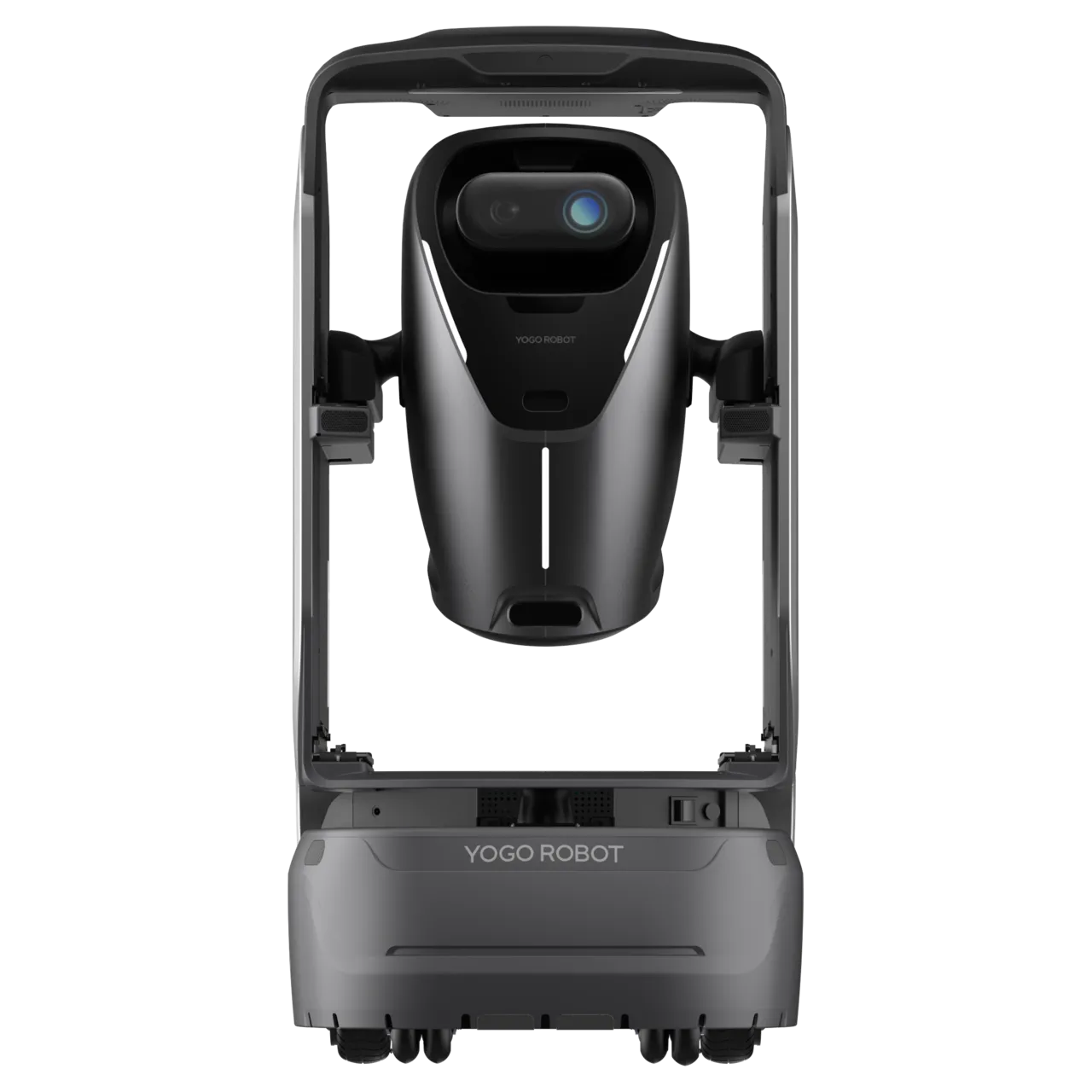
Patrol equipment reference
Review the patrol product family as a selection reference. The document does not specify a model; confirm image capture, intercom and site configuration before delivery.
Autonomous rounds, checkpoint image/video capture, live views, intercom and task records.
Control-room records
Link images to task, time and location; confirm events manually before response.
Document and current product versions may differ; confirm supplied specifications and project configuration.
Common questions
Where should the pilot start?+
Pilot one building, validate coverage and image transmission, establish review and response, then optimize routes and replicate.
How do robots and staff share work?+
Robot:Observe, transmit images and retain task records. Control room:Review images, judge conditions and initiate intercom. Guards / concierge:Respond, record outcomes and review recurring issues.
What needs separate confirmation?+
Image collection and human review are central. Robots do not judge every anomaly, replace guards or perform enforcement. Noise and light measurement are not promised.
How are configuration and acceptance set?+
Use source recommendations as a starting point, then confirm against site routes, supplied equipment and trial data. Suggested checks do not establish fixed performance or service guarantees.
07Plan a project
Pilot preparation
Pilot one building, validate coverage and image transmission, establish review and response, then optimize routes and replicate.