CHECKPOINT / 01
Lobby, reception and gates
Observe people and circulation; check agreed controlled entrances.
Checkpoint setup
Confirm public-area boundaries, camera views and any authorized identity reference source.
Office security patrol solution
For property and security teams: connect indoor patrols, checkpoint records and staff response, from the first observation to a recorded outcome.
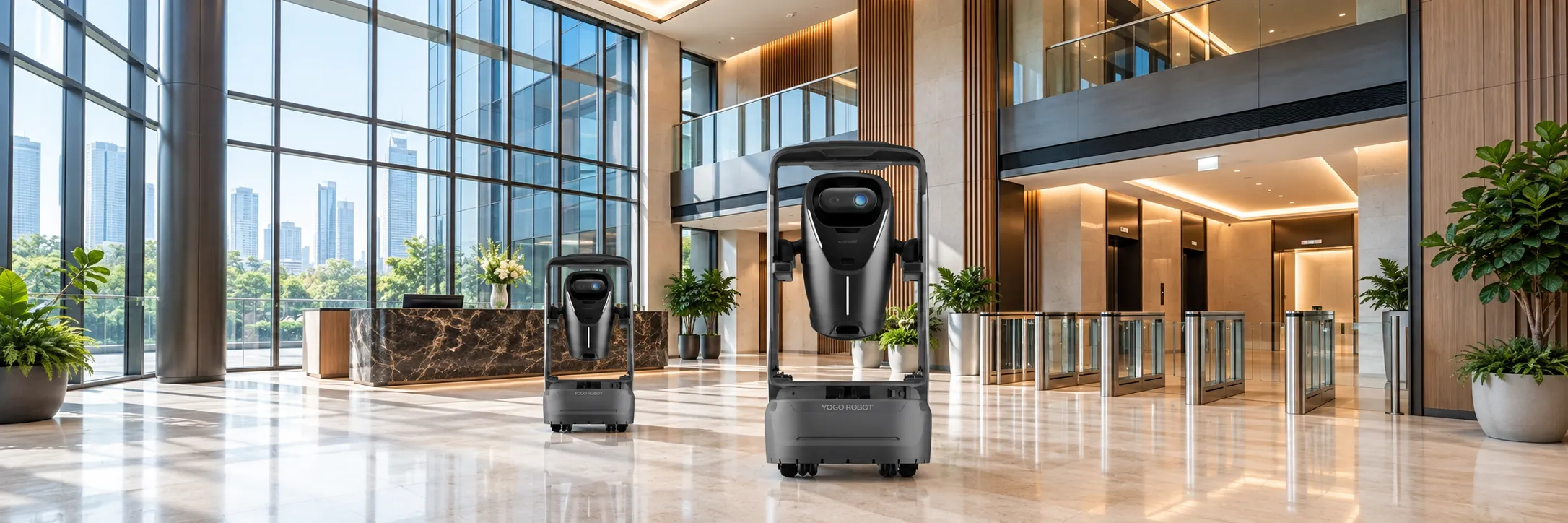
01 / Coverage
Build your patrol around six groups of checkpoints. For each, define the position, viewing angle, expected condition, visit interval and response owner.
Choose the checks your building needs. Combine on-site observation, configured recognition and clear records, with each enabled function validated against real conditions in your building.
Identity comparison needs an authorized reference source and integration. Agree dwell rules, camera angles and false-alert handling; an unmatched identity is a review prompt.
Confirm the delivered sensors, units, placement and thresholds. Image recognition and measured sensor readings are different inputs; validate them separately.
Agree target states, lighting, distance and any required markers. A photograph does not establish that a device is fully functional.
Map the inspection area and expected clearance. Trial temporary queues, cleaning equipment and other normal conditions.
Confirm recipients, available channels, acknowledgement, escalation and which actions need a person on site.
Agree fields, access, retention and report definitions. Live viewing does not include video replay in this plan.
Task received · preparing the route
A schematic frame appears after capture.
Simulated readings, frames and uploads · no device or platform connection.Concept floor · illustrative route, not a surveyed map or live system
DEMO TIME · ARRIVAL MARKS / SHADED BANDS = DWELL
Swipe the timeline to see all arrivals →CHECKPOINT / 01
Observe people and circulation; check agreed controlled entrances.
Confirm public-area boundaries, camera views and any authorized identity reference source.
CHECKPOINT / 02
Check obstructions, unusual dwell and configured environmental readings.
Trial crowding, lift queues and the route between floors.
CHECKPOINT / 03
Inspect passage clearance and configured fire-door or door states.
Define the expected state of each door and test its actual viewing angle.
CHECKPOINT / 04
Patrol agreed boundaries and observe activity around designated areas.
Do not assume entry to tenant offices or unrestricted observation of private workspaces.
CHECKPOINT / 05
Check agreed smoke/flame recognition and environmental indicators.
Validate steam, reflections, lighting and normal activity against the chosen recognition rules.
CHECKPOINT / 06
Photograph hydrants, cabinets, doors and exit signs for configured checks.
Confirm target visibility and what can be inferred from the image; functional equipment testing remains a separate task.
Coverage boundary / Outdoor areas, underground car parks, wet or high-temperature locations and strong direct sunlight. Stairs, inaccessible rooms and restricted areas need separate assessment and are not assumed covered.
A useful starting point is repeated rounds through accessible indoor public areas, with a control-room or property team available to review alerts and coordinate the response.
02 / Patrol workflow
The robot executes the configured route and collects the scene. Staff verify the alert, decide the response and confirm the result.
Workflow illustration · sample event, not a live system · EXAMPLE–01
Task received · preparing the route
A schematic frame appears after capture.
Simulated readings, frames and uploads · no device or platform connection.DEMO–01 / CHECKPOINT 03 · SUSPECTED OBSTRUCTION
Concept floor · illustrative route, not a surveyed map or live system
DEMO TIME · ARRIVAL MARKS / SHADED BANDS = DWELL
Swipe the timeline to see all arrivals →Confirm the authorized route, checkpoints and response owner before departure.
Management platformLeave the lobby and follow the corridor to the lift hall. Pause to capture the agreed view.
RobotContinue to checkpoint 03 and pause to inspect the escape route and exit.
RobotA configured rule produces a suspected-obstruction prompt. The robot holds position for staff verification.
Configured ruleAssociate the location and checkpoint photo with the event and notify the assigned team.
Management platformIn this example, staff walk to checkpoint 03, verify the scene and clear the passage.
Response teamIn this example, staff verify the cleared passage and retain the outcome with the event.
Staff and platformContinue through the office perimeter, pantry and fire-safety checkpoint, then retrace the route to the lobby.
RobotAn event is not resolved simply because it was detected or a message was sent. Agree who acknowledges it, who acts, who verifies the outcome and how unresolved events pass to the next shift.
Combine routine rounds, priority checkpoints, temporary tasks and charging. Two-hour routine rounds and 30-minute priority visits are planning examples; confirm your service intervals during the pilot.
Validate low-battery return, charger access and task resumption with the delivered configuration. Service across day and night requires fleet rotation and staff cover; include charging and maintenance in the coverage plan.
03 / Records
Record structure · illustrative fields, not an actual project report
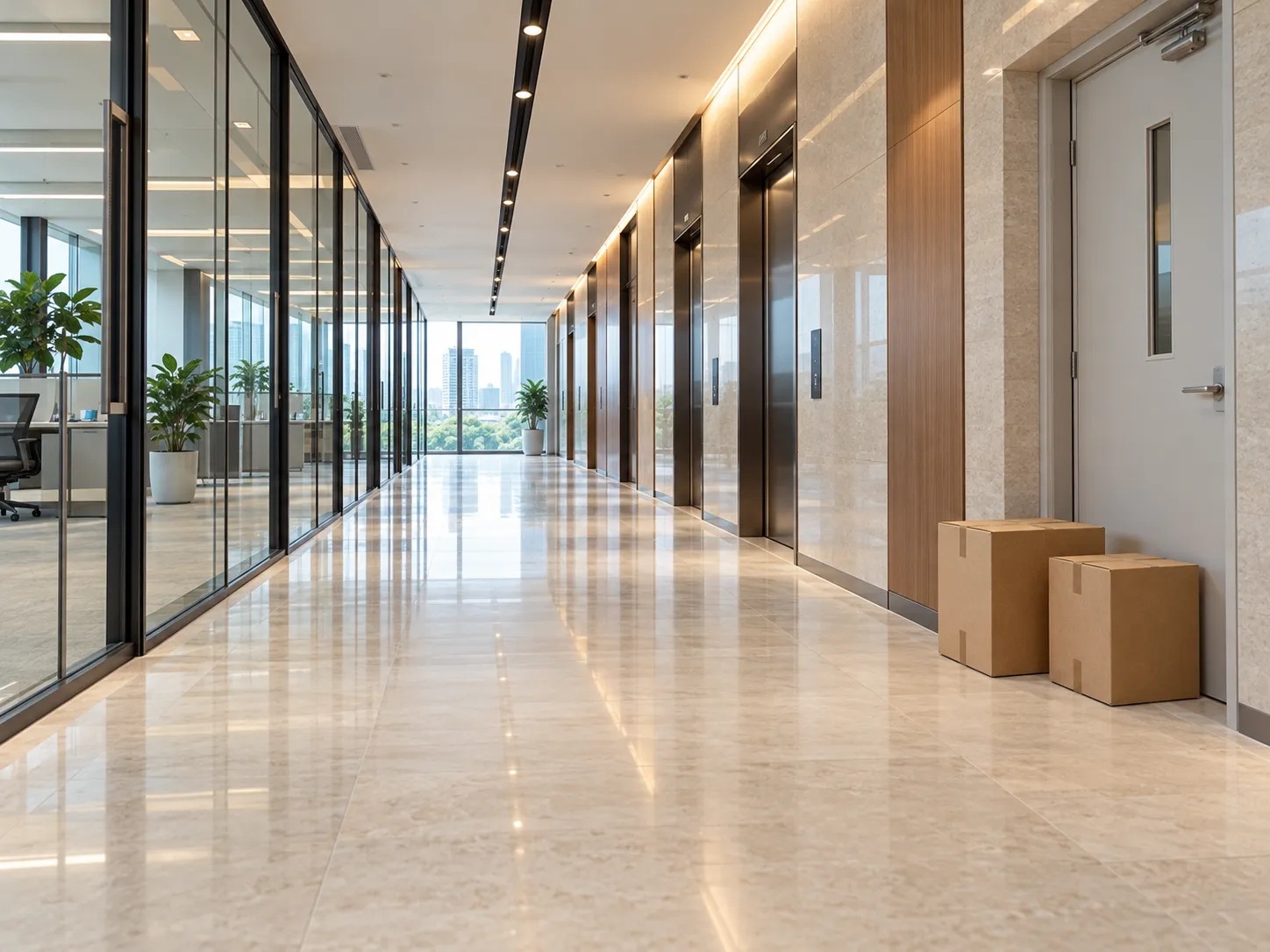 AI-generated scene illustration · not a project photo
EXAMPLE–01 · Illustrative floor / checkpoint 03
Capture time, building/floor, checkpoint identifier and inspection result, linked to the relevant task.
02 / Exception event
EXAMPLE–01
Event type, time, location, available photo or reading, review result, responsible person and handling status.
03 / Recorded outcome
EXAMPLE–01 · Illustrative floor / checkpoint 03
Record structure only. Responsible staff verify and enter the actual action and outcome.
Daily, weekly or monthly summaries of tasks, checked points and exceptions, with definitions agreed for completion and response measures.
View robot positions, checkpoints and tasks on a 2D floor map, with a dashboard for the wider operation. Confirm any 3D presentation, account permissions and integrations in your delivery scope.
Before launch, agree who can view live images, perform remote actions, access identity data and review records. Define retention and any export or deletion requirements. Unconfirmed exports or third-party work-order connections are not assumed included.
04 / Deployment
Start planning with 2–4 robots, then size the fleet around floors, routes and visit intervals. The service package includes a Web management platform, visualization dashboard and alert/patrol reports; confirm chargers, lift connections and all quantities in your project list.
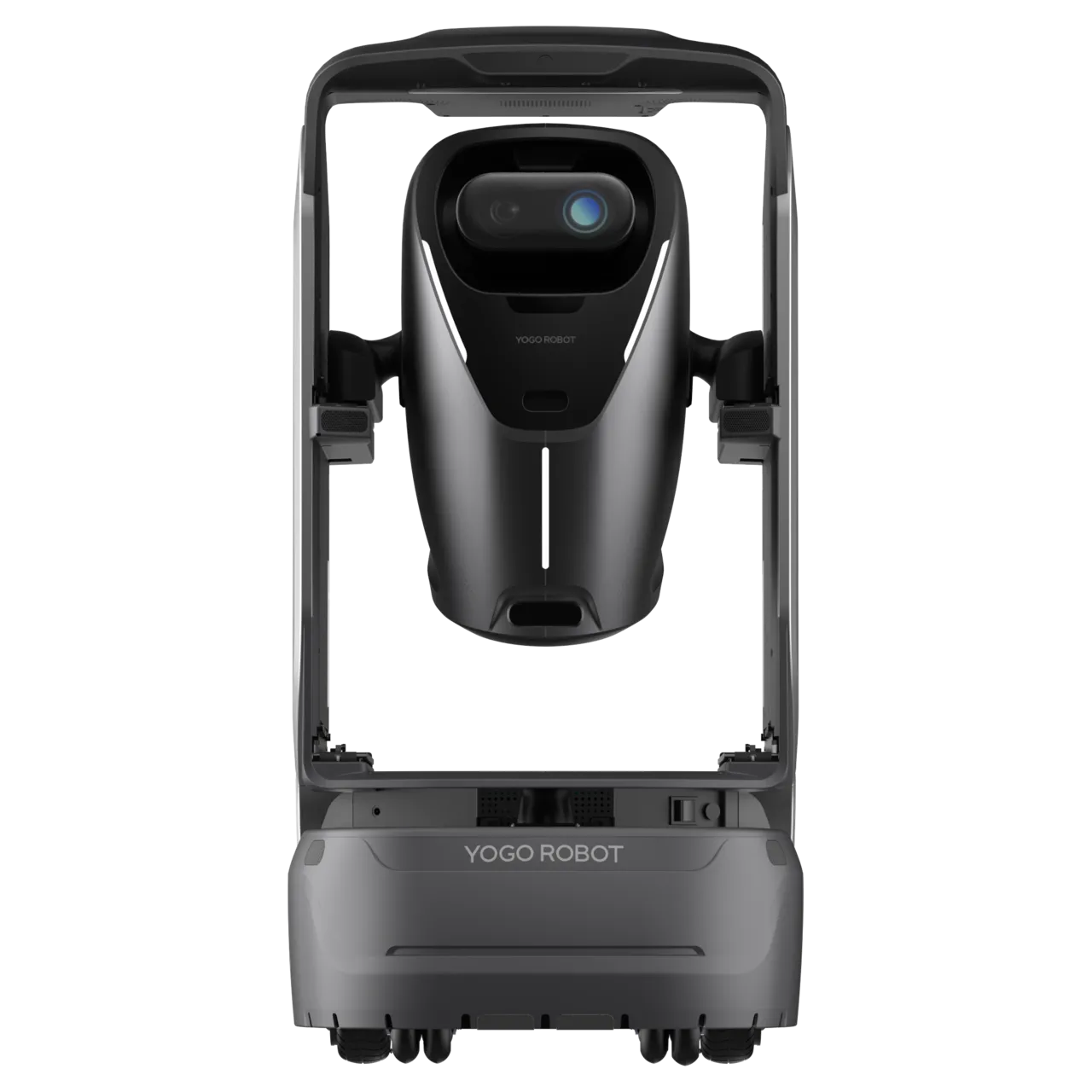
ANGO combines indoor mobility, environmental sensing and remote audio/video. Confirm the delivered model, dimensions, weight, runtime, charging and sensor configuration in your selection list, then validate the actual passage and lift conditions.
View ANGO product detailsA complete route includes travel, checkpoint dwell and capture, lift or door waits and return time. Compare the measured route cycle with the required revisit interval. Floor area alone cannot determine fleet size.
Calculation example only: a 24-minute route with a 15-minute revisit target needs at least ceil(24 ÷ 15) = 2 robots under ideal staggered operation. This excludes charging, congestion, breakdowns and event diversions; verify the actual checkpoint intervals and add availability capacity after a site trial.
Check each route and priority point, not just a fleet average. A shorter revisit target may require route subdivision, more robots or fewer concurrent tasks. Patrol coverage is periodic; areas outside the camera view or between visits are not continuously observed.
Four stages take the project from a defined patrol area to day-to-day operation. Agree the deliverables at each stage, with dates and acceptance targets based on your site readiness.
Deliver: checkpoint register, route survey and initial configuration.
List buildings, floors, public-area boundaries, checkpoints, required intervals and current staffing. Survey views, floors, thresholds, lifts, doors, network and charging.
Deliver: authorized route map, rule list and integration plan.
Build maps, configure routes, schedules, target states and recognition rules. Agree contacts, notification channels, permissions and records.
Deliver: trial records, issue list and revised routes or thresholds.
Commission hardware and building connections. Test day/night views, crowding, normal and abnormal samples, event notifications, charging and task resumption.
Deliver: acceptance record, operating procedure and support handover.
Train operators and responders, close trial issues and sign off coverage, records and recovery procedures. Schedule ongoing review of rule changes and site alterations.
Clearances, turning space, thresholds, slopes and lift gaps against the selected version; authorized floors and door/gate connections.
Property team, equipment providers and implementation team
Target height, distance, lighting, glass/reflections, crowding and any markers; representative positive and negative samples for each enabled rule.
Security team and implementation team
Coverage along routes, inside lift cars and at the charger; power, clear approach and a tested recovery contact.
Property team, IT and implementation team
Who reviews, assigns, attends and closes events; shift cover, account permissions, identity-data access and retention rules.
Property team, security management and platform administrator
These are proposed response rules for the project, not additional automatic functions. Set thresholds, contacts and escalation steps before the pilot and exercise the failure cases.
Review the checkpoint photo or live scene. Assign a person to verify and handle it, then check the resulting state.
Record the reviewer, action, time and final checkpoint result.
Verify the scene and authorized reference information before intervention. Use remote conversation or staff attendance where appropriate; do not equate a reminder with a confirmed violation.
Keep the review outcome, necessary evidence and any follow-up action.
Staff promptly verify available readings and images and follow the building’s incident procedure. The robot observes and reports; physical response remains with the response team.
Record acknowledgement, escalation and outcome; do not wait for another round if the incident needs immediate attention.
Locate the robot, check permissions and obstructions, and use only confirmed alternative routes. Arrange a manual check for missed priority points.
Identify missed points and recovery actions; resume only on an authorized route.
Check the latest task and location, arrange recovery or a replacement round, and reconcile incomplete checkpoints. Remote functions depend on an available connection.
Record missed tasks and the coverage gap; test charging and task recovery before returning to service.
Retain the event for review, correct rules through an authorized change process and escalate unanswered events to the agreed backup contact.
Keep the sample, rule change and verification result; unresolved events pass to the next shift.
05 / Validation
Agree targets, observation periods, sample sizes and exclusions before the pilot. Use measured results from your building to decide whether coverage, recognition and response meet your needs.
| Check | How to verify | What it establishes |
|---|---|---|
| Coverage and revisit interval | List all agreed checkpoints, record successful captures and actual time gaps at each point, and identify omissions separately. | Whether the planned areas and priority intervals are actually served. |
| Task completion | Completed tasks ÷ planned tasks in the agreed window; also list cancelled, missed and manually completed work and reasons. | Whether schedules, charging and route capacity are realistic. |
| Recognition quality | Test normal and abnormal site samples separately for each enabled rule. Count confirmed detections, false alerts and missed test cases. | Which functions work under the agreed views and conditions; no single accuracy figure stands for every rule. |
| Notification and human response | Measure capture-to-event, event-to-notice, notice-to-acknowledgement and acknowledgement-to-outcome separately. | Whether both the system and response organization meet the agreed timing. |
| Records and permissions | Verify photos, time/location fields, task/event linkage, status changes and report definitions; test account access and retention settings. | Whether an event can be reviewed using the records this plan actually retains. |
| Availability and recovery | Exercise failed access, obstruction, network loss, low battery, charging and task resumption; log gaps and manual cover. | Whether the fleet and staff can restore coverage after interruptions. |
The plan supports repeated observation and record collection. Staff still verify alerts, coordinate attendance, handle incidents and maintain operations. Any staffing change needs a measured service plan.
No. This plan covers office indoor public areas and excludes underground car parks and outdoor areas. Those require a separate solution assessment.
No. The service does not include video replay. Review retained checkpoint photos and structured records; live video is for current viewing.
It requires an authorized identity reference source, configuration and site validation. Without a confirmed reference and interface, do not assume the system can establish identity or access entitlement.
No. A configured visual check can help assess visible state, such as a door being open or an exit sign being visible. Functional testing and incident response remain separate work.
Lift, door and gate connections need compatibility and permission checks. Existing CCTV archives and third-party work orders need separately confirmed interfaces, fields, permissions and delivery scope.
Confirm coverage and response targets in your pilot. Actual revisit intervals and notification times depend on fleet size, routes, traffic, charging, network and staff cover.
Renovation, tenant moves or changes to doors and access permissions require a route and checkpoint review. Update the map, recognition views and rules through the agreed change process, then retest affected tasks before restoring coverage.
Prepare a floor plan, checkpoint list, desired revisit intervals, operating hours, access equipment details and the current response roster. Start with a representative area and prove the full patrol-to-response workflow before expanding.
Discuss your building