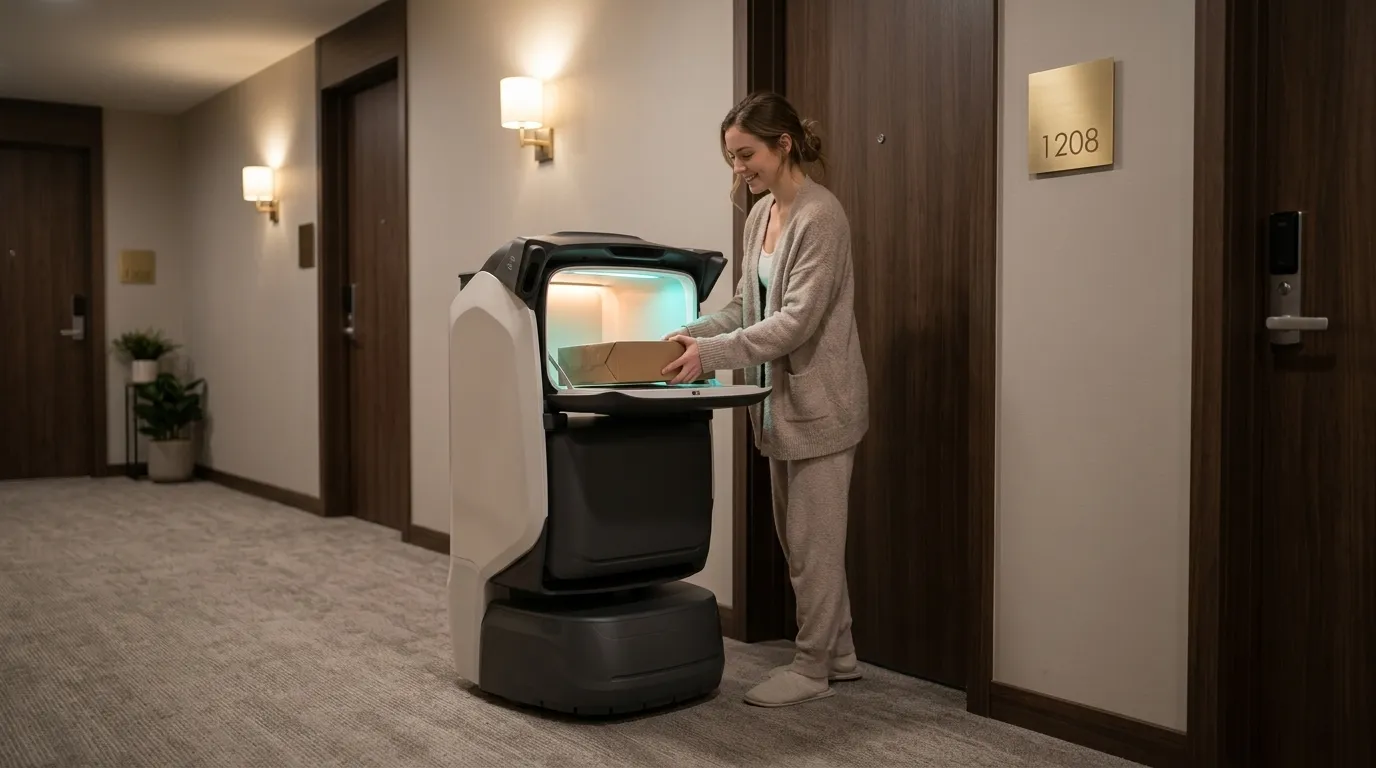
Receive and sort parcels centrally.Deliver to apartment doors.
Concierge staff receive, check and sort parcels. KAGO5 handles frequent small items; TRANGO carries heavier or consolidated loads. Residents authorize collection at their doors.
Check parcels and sort by floor, apartment, size and weight.
02
Concierge
Load manually
Place each task in its assigned compartment and confirm.
03
Robot
Deliver upstairs
Follow the authorized indoor route to the resident door.
04
Resident
Authorize collection
Use the configured code, password or card method.
05
Concierge
Handle exceptions
Resolve uncollected items, packaging or notification issues and retain task records.
Confirm execution separately from human handover/review; assigned staff take over exceptions.
Roles
Concierge
Receipt checks, sorting, loading, exceptions and resident communication.
Robot
Indoor transport, lift travel, doorstep notification and task status records.
Resident
Receive the notification and authorize collection.
Service modes
Select modes for the workflow; agree extensions separately.
Frequent small parcels
KAGO5 delivers documents, small packages, clothing and light daily supplies by room.
Configure and validate against site conditions.
01ReceiveCheck parcels and sort by floor, apartment, size and weight.
02Deliver upstairsFollow the authorized indoor route to the resident door.
03Authorize collectionUse the configured code, password or card method.
Heavy and consolidated loads
TRANGO transports bottled water, cat litter, detergent and parcel batches.
Configure and validate against site conditions.
01ReceiveCheck parcels and sort by floor, apartment, size and weight.
02Deliver upstairsFollow the authorized indoor route to the resident door.
03Authorize collectionUse the configured code, password or card method.
Page 7 marks photographic traceability as under development. Oversized furniture, large appliances and irregular items are outside the standard scope.
Terminals and configuration
Document-based scope; confirm supplied model, options and site fit.
01
KAGO5
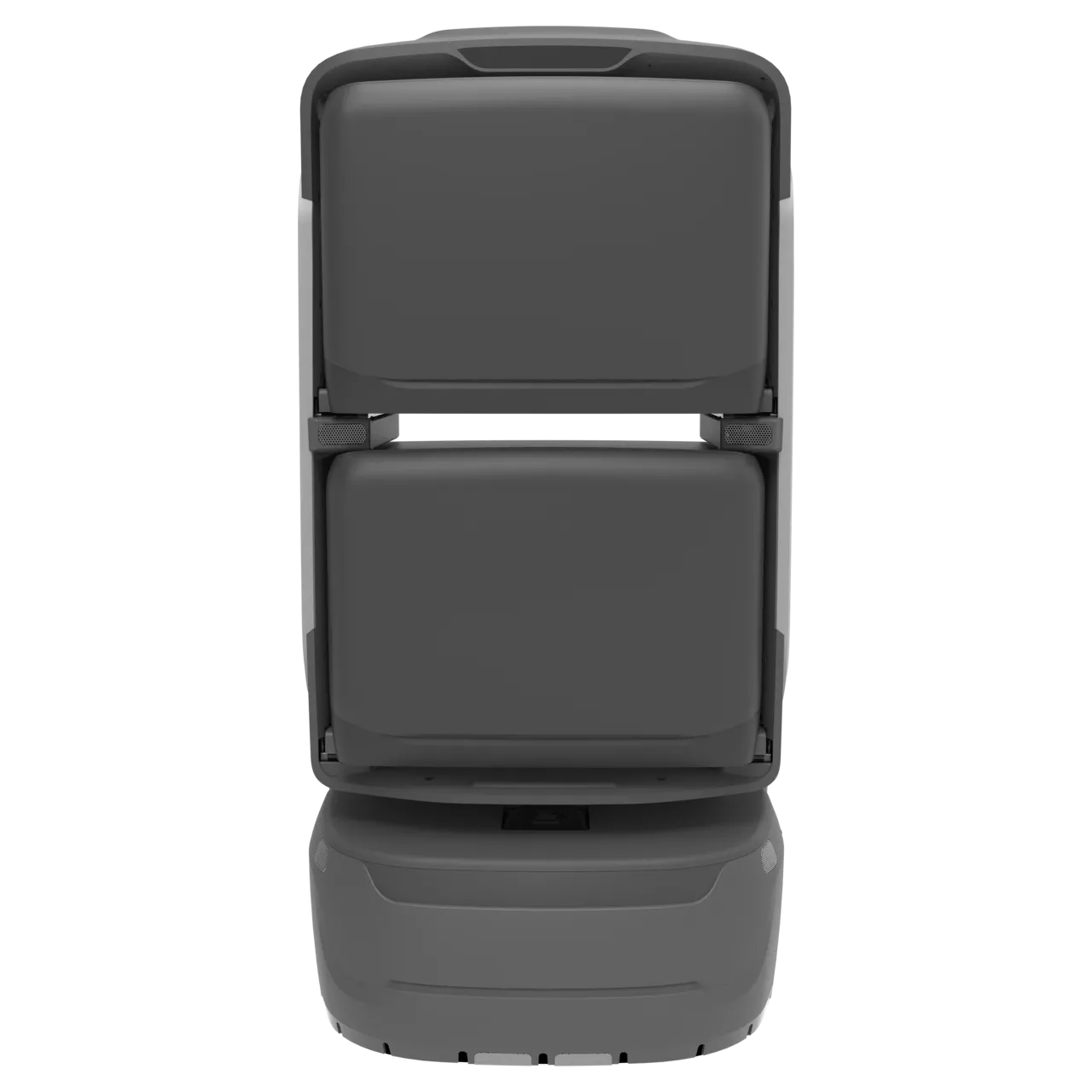
Four small or two large compartments for separate apartment orders.
02
TRANGO
The document references six compartments and up to 150 kg total payload; confirm supplied and per-compartment limits.
02Suitability
Scenario fit
Concierge staff receive, check and sort parcels. KAGO5 handles frequent small items; TRANGO carries heavier or consolidated loads. Residents authorize collection at their doors.
01
Frequent small parcels
KAGO5 delivers documents, small packages, clothing and light daily supplies by room.
02
Heavy and consolidated loads
TRANGO transports bottled water, cat litter, detergent and parcel batches.
Where the service helps+
Reduce repeated trips around these tasks and define on-site handovers.
Service area
Service scope
Frequent small parcels
KAGO5 delivers documents, small packages, clothing and light daily supplies by room.
Heavy and consolidated loads
TRANGO transports bottled water, cat litter, detergent and parcel batches.
Coordination priorities+
Reduce repeated trips
Assign suitable repeated routes to robots and compare results in the pilot.
Clear handovers
Verify outcomes against task, destination and responsible role.
Operational review
Use task states and exception records to adjust routes, schedules and configuration.
03Building route
Routes and service points
Configure routes for the actual site; diagrams explain the workflow.
01
Parcel service area
Central receipt, sorting and temporary storage.
02
Lifts and doors
Commission autonomous lift travel and authorized access.
03
Resident door
Verified collection; place charging docks clear of circulation.
Locations
Parcel service area
Lifts and doors
Resident door
Validate a complete loop
Parcel service area → Lifts and doors → Resident door
Diagrams explain the flow; survey actual passages, thresholds, access and stops.
Site readiness and operations
Confirm site, equipment and staffing; verify interfaces per project.
01
Items requiring review
Assess packaging, dimensions and liability for small appliances, fragile goods, liquids and valuables.
02
Record boundary
Retain task and compartment states; describe photography as under development.
Commission configured interfaces, notifications and access; assign site contacts and staff fallback.
Suggested readiness checks+
Swipe horizontally to see all columns.
Item
Scope
Confirmation
Scope and points
Parcel service area, Lifts and doors, Resident door
Confirm accessible scope and responsible staff on site.
Routes and access
Maps, passages, doors/lifts, network and charging.
Commission cross-floor and controlled-door access as needed; diagrams do not replace site tests.
Handover and exceptions
Concierge, Robot, Resident
Agree notifications, staff takeover, records and review rules.
04Fleet planning
Pilot and expansion
Start with one parcel area, one building and a peak window. Validate sorting, loading, notification, collection and exception returns before replication.
01
KAGO5
Four small or two large compartments for separate apartment orders.
02
TRANGO
The document references six compartments and up to 150 kg total payload; confirm supplied and per-compartment limits.
Sizing considerations+
Sizing parameter
Effect on capacity
Task cycle
Measure request, execution, handover, return and charging time.
Site scope
Parcel service area, Lifts and doors, Resident door
Staff coordination
Allow for available receiving, reviewing and exception-response staff.
Source configurations/data refer to their stated scenario; confirm final sizing through site validation.
Schedules and tasks
Schedule around demand and site routines, allowing for cleaning, charging and exceptions.
Items requiring review
Site-defined schedule
Assess packaging, dimensions and liability for small appliances, fragile goods, liquids and valuables.
Record boundary
Site-defined schedule
Retain task and compartment states; describe photography as under development.
Start with one parcel area, one building and a peak window. Validate sorting, loading, notification, collection and exception returns before replication.Page 7 marks photographic traceability as under development. Oversized furniture, large appliances and irregular items are outside the standard scope.
Systems and staff coordination+
Start with the documented workflow and verify optional interfaces separately.
System layer
Responsibilities
KAGO5
Four small or two large compartments for separate apartment orders.
TRANGO
The document references six compartments and up to 150 kg total payload; confirm supplied and per-compartment limits.
05Pilot & operation
Suggested implementation
The following are project assessment and acceptance suggestions, subject to site confirmation.
01
Confirm scope
Site preparation
Start with one parcel area, one building and a peak window. Validate sorting, loading, notification, collection and exception returns before replication.
02
Configure and commission
When ready
Check devices, routes, points, accounts and necessary access/system interfaces.
03
Trial and acceptance
By project agreement
Validate real tasks, staff coordination, exceptions and records before expansion.
Suggested exception handling
The following are project assessment and acceptance suggestions, subject to site confirmation.
View the exception checklist+
Swipe horizontally to see all columns.
Condition
Action
Ownership and records
Task cannot continue
Pause, wait or hand over to staff under site rules.
Managers record cause, owner and recovery conditions.
Handover/review incomplete
Contact the assigned staff; automatic task closure does not replace their confirmation.
Record the reason and follow-up.
Device/access exception
Follow support procedures and use staff service if required.
Support and site staff coordinate and validate recovery.
Suggested acceptance
The following are project assessment and acceptance suggestions, subject to site confirmation.
View acceptance measures and responsibilities+
Swipe horizontally to see all columns.
Check
Status
Verification
Task execution
Suggested acceptance item
Complete tasks within agreed routes/scope and record success, failure and reasons.
Staff coordination
Suggested acceptance item
Verify notification, permissions, human review/handover and exception takeover.
Operational records
Suggested acceptance item
Sample tasks, times, points and outcomes; agree metrics and targets with the project team.
Agree before delivery
Service scope
Page 7 marks photographic traceability as under development. Oversized furniture, large appliances and irregular items are outside the standard scope.
Responsibilities
Concierge, Robot, Resident
Configuration and metrics
Agree device models, options, interfaces, timing and targets in project documents.
06Questions
Related equipment
Review product information and reconcile the document version with the supplied model/configuration.
Four small or two large compartments for separate apartment orders.
TRANGO
The document references six compartments and up to 150 kg total payload; confirm supplied and per-compartment limits.
Document and current product versions may differ; confirm supplied specifications and project configuration.
Common questions
Where should the pilot start?+
Start with one parcel area, one building and a peak window. Validate sorting, loading, notification, collection and exception returns before replication.
How do robots and staff share work?+
Concierge:Receipt checks, sorting, loading, exceptions and resident communication. Robot:Indoor transport, lift travel, doorstep notification and task status records. Resident:Receive the notification and authorize collection.
What needs separate confirmation?+
Page 7 marks photographic traceability as under development. Oversized furniture, large appliances and irregular items are outside the standard scope.
How are configuration and acceptance set?+
Use source recommendations as a starting point, then confirm against site routes, supplied equipment and trial data. Suggested checks do not establish fixed performance or service guarantees.
07Plan a project
Pilot preparation
Start with one parcel area, one building and a peak window. Validate sorting, loading, notification, collection and exception returns before replication.