Skip to content

Headquarters meeting supplies delivery

Prepare meeting supplies and replenish small items.Hand over outside rooms and collect afterwards.

Deliver documents and refreshments before meetings, ad hoc supplies during sessions and permitted returns afterwards, with staff handover outside meeting rooms.

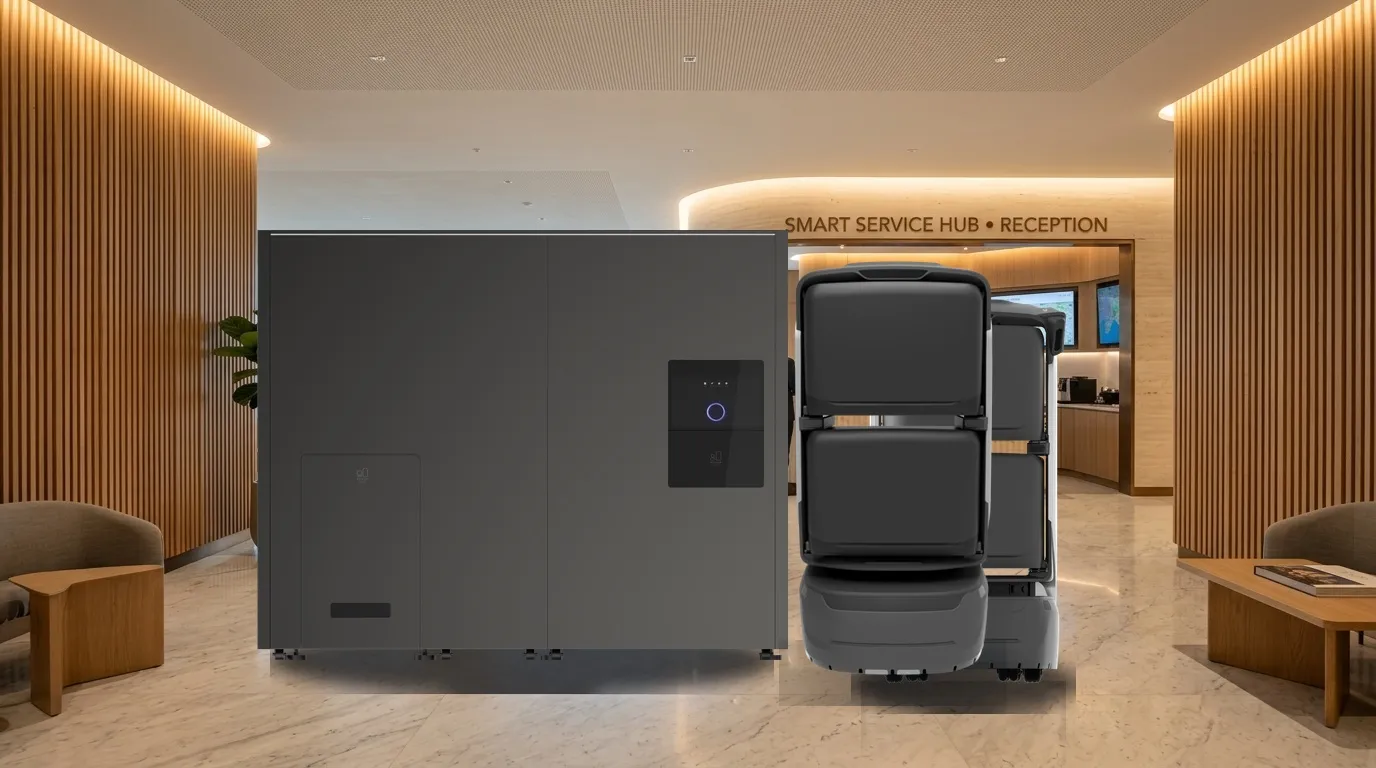
Illustrative robot service scene
  1. Request

    Users

    Select items, destination and required time.

  2. Deliver

    Robot

    Follow configured routes and access rules.

  3. Handover

    Recipients

    Receive the arrival alert, use configured access and verify receipt.

Pilot the documented workflow with responsible staff verifying key handovers.

The service

Service flow and ownership

Robots execute configured tasks; responsible staff retain verification and on-site response.

  1. Users

    Request

    Select items, destination and required time.

  2. Dispatch staff

    Prepare and load

    Check items, packaging and compartments; load manually and confirm.

  3. Robot

    Deliver

    Follow configured routes and access rules.

  4. Recipients

    Handover

    Receive the arrival alert, use configured access and verify receipt.
  5. Managers

    Retain records

    Review completion, exceptions and handover records.

Confirm execution separately from human handover/review; assigned staff take over exceptions.

Roles

  • Dispatch and receiving staff

    Request, prepare, load, verify and acknowledge receipt.

  • Robot

    Transport, notify and return status within the configured scope.

  • Management and support

    Maintain points, schedules, equipment, exception handling and records.

Service modes

Select modes for the workflow; agree extensions separately.

Before meetings

Prepare documents, name cards, bottled water, cups and snacks.

Configure and validate against site conditions.

  1. RequestSelect items, destination and required time.
  2. DeliverFollow configured routes and access rules.
  3. HandoverReceive the arrival alert, use configured access and verify receipt.

During meetings

Deliver adapters, whiteboard pens, batteries and other small items.

Configure and validate against site conditions.

  1. RequestSelect items, destination and required time.
  2. DeliverFollow configured routes and access rules.
  3. HandoverReceive the arrival alert, use configured access and verify receipt.

After meetings

Return listed documents and permitted materials.

Configure and validate against site conditions.

  1. RequestSelect items, destination and required time.
  2. DeliverFollow configured routes and access rules.
  3. HandoverReceive the arrival alert, use configured access and verify receipt.

Calendar/OA integration and zero meeting delays are not default capabilities. Meeting staff own lists, quantities, packaging and final setup.

Terminals and configuration

Document-based scope; confirm supplied model, options and site fit.

Illustration of items and staff handover
Illustrative scene; confirm packaging, compartments and collection against supplied configuration.
  • Compartment terminal

    Choose 2–4 compartments for packaging and separate tasks.

  • Management

    Tasks, devices, permissions and records; optional reservation/OA/ticket interfaces.

Suitability

Scenario fit

Deliver documents and refreshments before meetings, ad hoc supplies during sessions and permitted returns afterwards, with staff handover outside meeting rooms.

  • Before meetings

    Prepare documents, name cards, bottled water, cups and snacks.

  • During meetings

    Deliver adapters, whiteboard pens, batteries and other small items.

  • After meetings

    Return listed documents and permitted materials.

Where the service helps

Reduce repeated trips around these tasks and define on-site handovers.

Service areaService scope
Before meetingsPrepare documents, name cards, bottled water, cups and snacks.
During meetingsDeliver adapters, whiteboard pens, batteries and other small items.
After meetingsReturn listed documents and permitted materials.
Coordination priorities
  • Reduce repeated trips

    Assign suitable repeated routes to robots and compare results in the pilot.

  • Clear handovers

    Verify outcomes against task, destination and responsible role.

  • Operational review

    Use task states and exception records to adjust routes, schedules and configuration.

Building route

Routes and service points

Configure routes for the actual site; diagrams explain the workflow.

  1. Supply point

    Enter room, floor, quantity and required time; load manually.

  2. Outside meeting room

    Call/SMS notification with configured QR, phone or badge access.

  3. Return point

    Verify returned materials and task records.

Illustrative route; confirm points and access on site.

Locations

  • Supply point
  • Outside meeting room
  • Return point

Validate a complete loop

Supply point → Outside meeting room → Return point

Diagrams explain the flow; survey actual passages, thresholds, access and stops.

Site readiness and operations

Confirm site, equipment and staffing; verify interfaces per project.

  • Handover

    Wait outside the meeting room to reduce disruption.

  • Exceptions

    Meeting staff coordinate shortages, absent recipients, room changes and access obstruction.

Commission configured interfaces, notifications and access; assign site contacts and staff fallback.

Suggested readiness checks

Swipe horizontally to see all columns.

ItemScopeConfirmation
Scope and pointsSupply point, Outside meeting room, Return pointConfirm accessible scope and responsible staff on site.
Routes and accessMaps, passages, doors/lifts, network and charging.Commission cross-floor and controlled-door access as needed; diagrams do not replace site tests.
Handover and exceptionsDispatch and receiving staff, Robot, Management and supportAgree notifications, staff takeover, records and review rules.

Fleet planning

Pilot and expansion

Source reference: one or two robots and one platform; start with frequent meeting rooms and supply points, commissioning access as needed.

Compartment terminal

Choose 2–4 compartments for packaging and separate tasks.

Management

Tasks, devices, permissions and records; optional reservation/OA/ticket interfaces.

Sizing considerations
Sizing variableEffect on capacity
Task cycleMeasure request, execution, handover, return and charging time.
Site scopeSupply point, Outside meeting room, Return point
Staff coordinationAllow for available receiving, reviewing and exception-response staff.

Source configurations/data refer to their stated scenario; confirm final sizing through site validation.

Schedules and tasks

Schedule around demand and site routines, allowing for cleaning, charging and exceptions.

  1. Handover

    Site-defined schedule

    Wait outside the meeting room to reduce disruption.

  2. Exceptions

    Site-defined schedule

    Meeting staff coordinate shortages, absent recipients, room changes and access obstruction.

Source reference: one or two robots and one platform; start with frequent meeting rooms and supply points, commissioning access as needed.Calendar/OA integration and zero meeting delays are not default capabilities. Meeting staff own lists, quantities, packaging and final setup.

Systems and staff coordination

Start with the documented workflow and verify optional interfaces separately.

System layerResponsibilities
Compartment terminalChoose 2–4 compartments for packaging and separate tasks.
ManagementTasks, devices, permissions and records; optional reservation/OA/ticket interfaces.

Pilot & operation

Suggested implementation

The following are project assessment and acceptance suggestions, subject to site confirmation.

  1. Confirm scope

    Site preparation

    Source reference: one or two robots and one platform; start with frequent meeting rooms and supply points, commissioning access as needed.

  2. Configure and commission

    When ready

    Check devices, routes, points, accounts and necessary access/system interfaces.

  3. Trial and acceptance

    By project agreement

    Validate real tasks, staff coordination, exceptions and records before expansion.

Suggested exception handling

The following are project assessment and acceptance suggestions, subject to site confirmation.

View the meeting logistics contingency matrix

Swipe horizontally to see all columns.

ConditionActionOwnership and records
Task cannot continuePause, wait or hand over to staff under site rules.Managers record cause, owner and recovery conditions.
Handover/review incompleteContact the assigned staff; automatic task closure does not replace their confirmation.Record the reason and follow-up.
Device/access exceptionFollow support procedures and use staff service if required.Support and site staff coordinate and validate recovery.

Suggested acceptance

The following are project assessment and acceptance suggestions, subject to site confirmation.

View acceptance measures and responsibilities

Swipe horizontally to see all columns.

CheckStatusVerification
Task executionSuggested acceptance itemComplete tasks within agreed routes/scope and record success, failure and reasons.
Staff coordinationSuggested acceptance itemVerify notification, permissions, human review/handover and exception takeover.
Operational recordsSuggested acceptance itemSample tasks, times, points and outcomes; agree metrics and targets with the project team.

Agree before delivery

  • Service scope

    Calendar/OA integration and zero meeting delays are not default capabilities. Meeting staff own lists, quantities, packaging and final setup.

  • Responsibilities

    Dispatch and receiving staff, Robot, Management and support

  • Configuration and metrics

    Agree device models, options, interfaces, timing and targets in project documents.

Questions

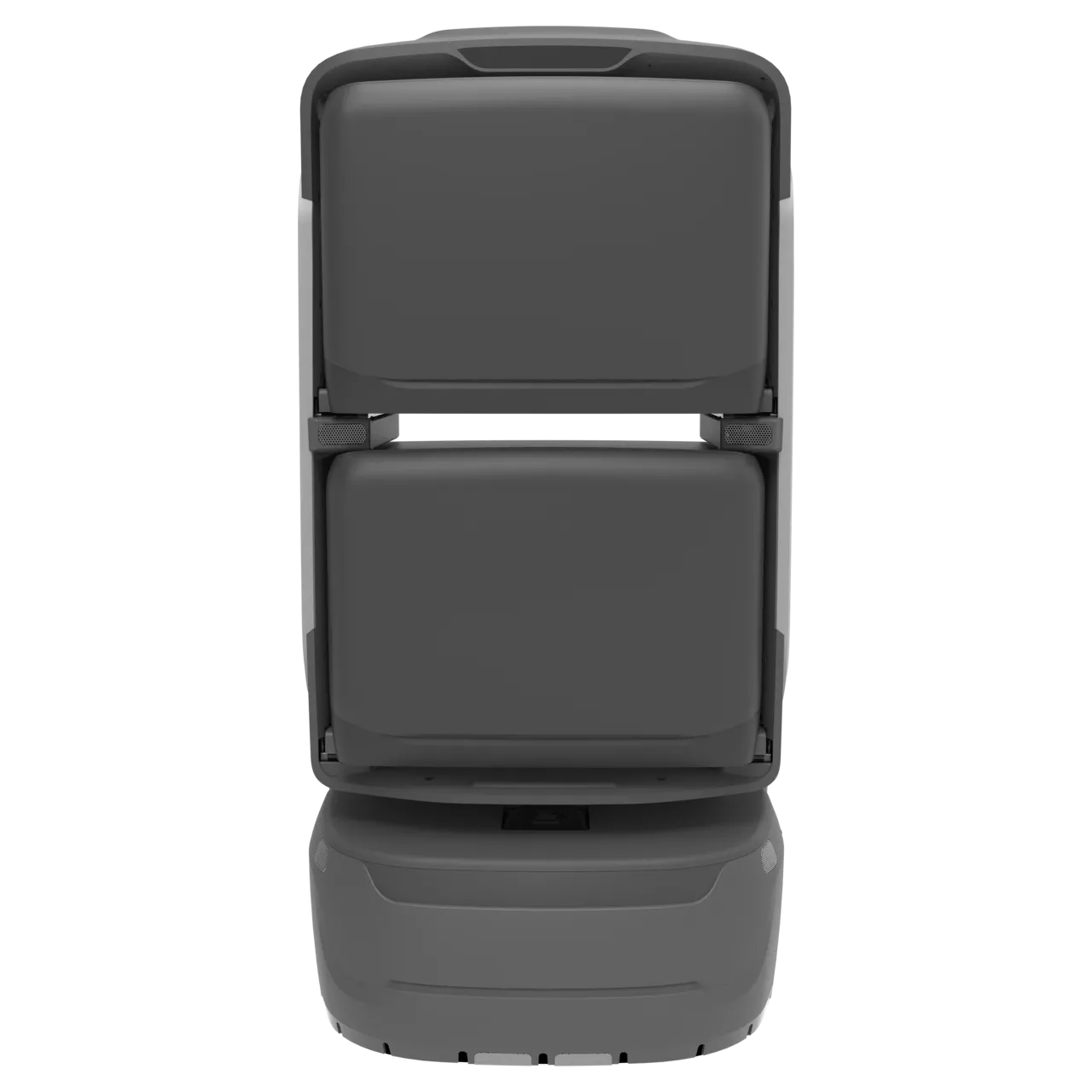
KAGO meeting delivery robot

Related equipment

Review product information and reconcile the document version with the supplied model/configuration.

View product

Document configuration and device checks

Compartment terminal
Choose 2–4 compartments for packaging and separate tasks.
Management
Tasks, devices, permissions and records; optional reservation/OA/ticket interfaces.

Document and current product versions may differ; confirm supplied specifications and project configuration.

Common questions

Where should the pilot start?

Source reference: one or two robots and one platform; start with frequent meeting rooms and supply points, commissioning access as needed.

How do robots and staff share work?

Dispatch and receiving staff:Request, prepare, load, verify and acknowledge receipt. Robot:Transport, notify and return status within the configured scope. Management and support:Maintain points, schedules, equipment, exception handling and records.

What needs separate confirmation?

Calendar/OA integration and zero meeting delays are not default capabilities. Meeting staff own lists, quantities, packaging and final setup.

How are configuration and acceptance set?

Use source recommendations as a starting point, then confirm against site routes, supplied equipment and trial data. Suggested checks do not establish fixed performance or service guarantees.

Plan a project

Pilot preparation

Source reference: one or two robots and one platform; start with frequent meeting rooms and supply points, commissioning access as needed.

Discuss the solution
Scope and points
Supply point, Outside meeting room, Return point Confirm accessible scope and responsible staff on site.
Routes and access
Maps, passages, doors/lifts, network and charging. Commission cross-floor and controlled-door access as needed; diagrams do not replace site tests.
Handover and exceptions
Dispatch and receiving staff, Robot, Management and support Agree notifications, staff takeover, records and review rules.

Choose a dedicated solution for each workflow.